 By Laura Caiswell
You land in Lisbon, grab a pastel de nata, order a coffee, tap your card. Then another coffee. Then lunch with that view. By day three, you check your banking app and feel actual physical nausea. You’ve spent €400 and have no idea where it went.
The problem isn’t you. It’s that most travel budget apps are designed by people who’ve never actually traveled on a real budget. They hide fees, ignore offline reality, and pretend you’ll manually log every €1.50 espresso while jetlagged. You won’t. I won’t. Nobody does.
Here’s what actually works.
The Offline Reality Check: Two Apps That Work When Wi-Fi Doesn’t
Most budget apps are useless the moment your plane leaves the gate. They need a data connection to sync, pull exchange rates, or even open. You’re in a Bangkok night market with a pocket full of baht and an app showing a spinning loading wheel. Congratulations, you’re now budgeting blind.
This is the first filter for any travel budget app worth your phone storage: does it function when you’re in airplane mode at a rural train station in Romania? If not, delete it.
Trail Wallet: Built by Someone Who Actually Backpacked
Simon Fairbairn built Trail Wallet after a year-long honeymoon trip where he and his wife tracked every single expense. The app reflects that origin story in every design choice. It opens instantly. No splash screen, no syncing delay, no “checking for updates” message. You tap, you type a number, you pick a category, you’re done. Three seconds.
The killer feature: quick-add shortcuts that remember your last-used currency and category. If you’re logging a series of small cash purchases — street food, water bottles, temple entry fees — you can log five expenses in under 30 seconds. The free version limits you to 25 entries, which is enough for a weekend trip. The one-time $4.99 upgrade removes that limit permanently. No subscription. One payment.
Daily budget tracking is where Trail Wallet shines. You set a daily amount, and the app shows a colored bar — green when you’re under, red when you’re over. It’s visual, immediate, and slightly judgmental in the way a good budget app should be.
TravelSpend: The One With Better Graphs
TravelSpend does almost everything Trail Wallet does but adds one thing that makes it worth comparing: a map view of your spending. Every logged expense pins to a location. By the end of your trip, you can see exactly where your money evaporated — usually a three-block radius of bars in Prague.
The free version is more generous than Trail Wallet’s, with unlimited entries but ads. Premium costs $3.99/month or $22.99/year. The subscription includes automatic cloud backup and multi-device sync, which Trail Wallet doesn’t offer.
Between the two: pick Trail Wallet if you want simplicity and a one-time payment. Pick TravelSpend if you travel with a partner and need shared access to the same trip budget.
The Group Trip Money Minefield

Group trips turn everyone into an amateur accountant. Someone pays for the Airbnb. Someone grabs the dinner bill. Someone buys groceries. Then everyone spends the last day of the trip hunched over phones, scrolling through bank statements, insisting “I definitely paid for the Ubers on Tuesday.”
This is where dedicated split-cost apps earn their place on your home screen.
Splitwise: The Industry Standard for a Reason
Splitwise has been solving group money awkwardness since 2011. The core function is dead simple: you create a group, add expenses as they happen, and the app maintains a running balance of who owes whom. At the end of the trip, it simplifies the debts — instead of four people sending money in six directions, it tells you “Alex owes Jamie $47, Sam owes Alex $23” and that’s it.
The app handles multiple currencies, which is essential. You paid for the hostel in euros, your friend covered dinner in Czech koruna, and you need the final settlement in dollars. Splitwise does the math. The free version covers everything a typical trip needs. Pro ($4.99/month) adds receipt scanning and currency conversion rate locking.
Tricount: When You Want Less App, More Spreadsheet Energy
Tricount is the stripped-down alternative. No account required. You create an expense group, share a link, and anyone can add costs through their browser without downloading anything. This matters when you’re traveling with your dad who still uses a Galaxy S7 and refuses to install new apps.
The interface is uglier than Splitwise. The math is the same. The advantage is frictionless onboarding for non-app people. Free with ads, €2.99 to remove them.
| Feature | Splitwise | Tricount |
|---|---|---|
| Account required | Yes | No |
| Multi-currency | Yes (Pro) | No |
| Guest access via link | No | Yes |
| Debt simplification | Yes | Yes |
| Free version | Fully functional | Ad-supported |
| Best for | Close friend groups | Mixed groups with non-tech people |
When Your Bank App Is the Enemy
Your regular bank card charges 3% on every foreign transaction. That’s €30 on every €1,000 you spend. On a two-week trip, that’s easily €60-90 in invisible fees that no budget app can fix — because the problem isn’t tracking, it’s the transaction itself.
This is where fintech alternatives stop being optional.
Wise: The Exchange Rate Adults Use
Wise (formerly TransferWise) gives you the mid-market exchange rate — the same one you see on Google — plus a transparent percentage fee that’s usually 0.35-0.5% for major currencies. Traditional banks mark up the rate by 2-3% and call it “no fee.” That markup is the fee. Wise shows you both numbers side by side before you convert.
The Wise debit card lets you hold 40+ currencies and auto-converts at the moment of purchase, always using whichever balance has the best rate. You land in Tokyo with yen already loaded. You pay in yen. No conversion at the point of sale. The card costs a one-time $9 and has no monthly fees.
Revolut: Better If You Want One App for Everything
Revolut bundles budgeting tools, currency exchange, and a debit card into one app. The free plan gives you €1,000/month in fee-free currency exchange at interbank rates on weekdays. Weekends have a 1% markup — and this is the catch most people miss. If you exchange money on a Saturday, you pay more. Set a reminder to do your conversions Monday through Friday.
The budgeting feature inside Revolut categorizes spending automatically and shows percentage breakdowns by category. It’s less detailed than Trail Wallet or TravelSpend for pure travel budgeting, but it eliminates the step of manually logging anything. Everything is automatic because you’re spending through the Revolut card.
Bottom line: Wise wins on pure exchange rates and transparency. Revolut wins if you want budgeting and banking in one app and don’t mind the weekend markup.
The Nuclear Option: Zero-Based Budgeting for Long-Term Travel
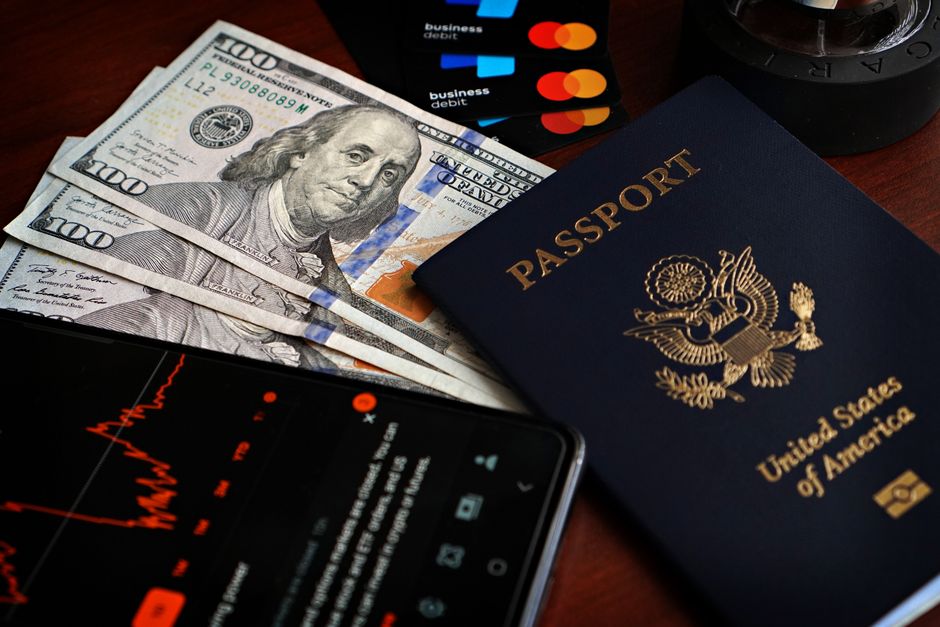
If you’re traveling for more than a month — digital nomad, gap year, extended sabbatical — the daily-budget approach breaks down. You have irregular income, quarterly insurance payments, and flights booked months apart. You need a system that accounts for every dollar before you spend it.
YNAB (You Need A Budget): The Cult That’s Right
YNAB users talk about the app like they’ve found religion. It’s annoying. It’s also correct. The method is zero-based budgeting: you assign every dollar of your current bank balance to a specific category. No forecasting. No “I’ll earn it back next month.” You look at what you have right now and decide what it needs to do before you get paid again.
For long-term travel, this forces clarity. That €3,000 in your account needs to cover the next six weeks of hostels, the flight to Vietnam, the travel insurance renewal, and the Vietnamese visa fee. YNAB makes you face that math directly. The app syncs with bank accounts in multiple countries and handles multi-currency accounts, though the sync reliability varies by country.
The cost is $14.99/month or $99/year. There’s a 34-day free trial. The learning curve is steep — expect to spend an hour setting it up and two weeks understanding why it’s telling you things you don’t want to hear.
YNAB is overkill for a one-week trip. It’s the best tool available for a one-year trip.
What Nobody Tells You About Travel Budget Apps

The app you pick matters less than whether you actually use it. The best budget app in the world is worthless if logging an expense takes more than five seconds or requires internet access.
Three things kill travel budgeting:
- Friction. If the app needs you to select a category from a dropdown of 30 options, you’ll stop using it by day two.
- Shame. If the app makes overspending feel like a personal failure, you’ll avoid opening it. The best apps report numbers neutrally.
- Connection dependency. If the app breaks offline, it’s dead to you the first time you’re in a subway station with no signal.
The apps above solve these problems in different combinations. Trail Wallet and TravelSpend win on speed and offline reliability. Splitwise and Tricount solve the group accounting nightmare. Wise and Revolut attack the problem at the source by reducing the fees you’re trying to track in the first place. YNAB handles the long-haul complexity that daily trackers can’t touch.
Pick one that matches your actual trip, not the trip you imagine yourself taking. The person who logs every espresso is a fantasy. The person who logs most dinners and all accommodation is realistic. Budget for the traveler you are.